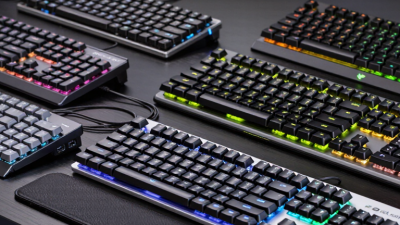
Looking ahead to 2026, picking out a mechanical Gaming Keyboard is really about balancing a few key things—speed, comfort, sound level, and how much space it takes up on your desk. A keyboard can look super cool, but if it’s uncomfortable after a couple of hours, it’s kinda pointless, right? Little details matter here: things like stable keys that don’t wobble, clear legends so you don’t have to squint, reliable wireless connection, and software that doesn’t get in your way. At the end of the day, how it feels when you’re typing or gaming—that’s what really counts.
In this guide, we’ve rounded up ten gaming keyboards, comparing them based on practical stuff like switch response time, build quality, layout, connectivity options, how customizable they are, and overall bang for your buck. Whether you’re into fast-paced shooters, strategy games, or just need something reliable for everyday typing, we've got options. If you're searching for a “Gaming Keyboard 60 Percent Mechanical Keyboard,” you might prefer more space for your Mouse movements. But keep in mind, a smaller layout cuts out certain keys—like F-keys and navigation buttons—which might be a deal-breaker for some. So, compact isn’t automatically better for everyone.
Whenever specs are available, we’ve included them to help you compare. But, honestly, comfort and sound are pretty subjective—what feels good and sounds okay to me might not be the same for you. No single keyboard is perfect for every hand or every game or budget, and that’s totally okay to admit. Switch preferences vary a lot, and even a quiet model can sound pretty sharp in a quiet room. Our goal here is to point out the trade-offs so you can make a smart choice, not to claim one keyboard is the ultimate winner. Use our shortlist to filter your options, then double-check the layout and switch types before making a final decision. If you can, it’s worth trying the keys out in person—spending a few minutes with a demo can tell you more than just looking at fancy photos online.
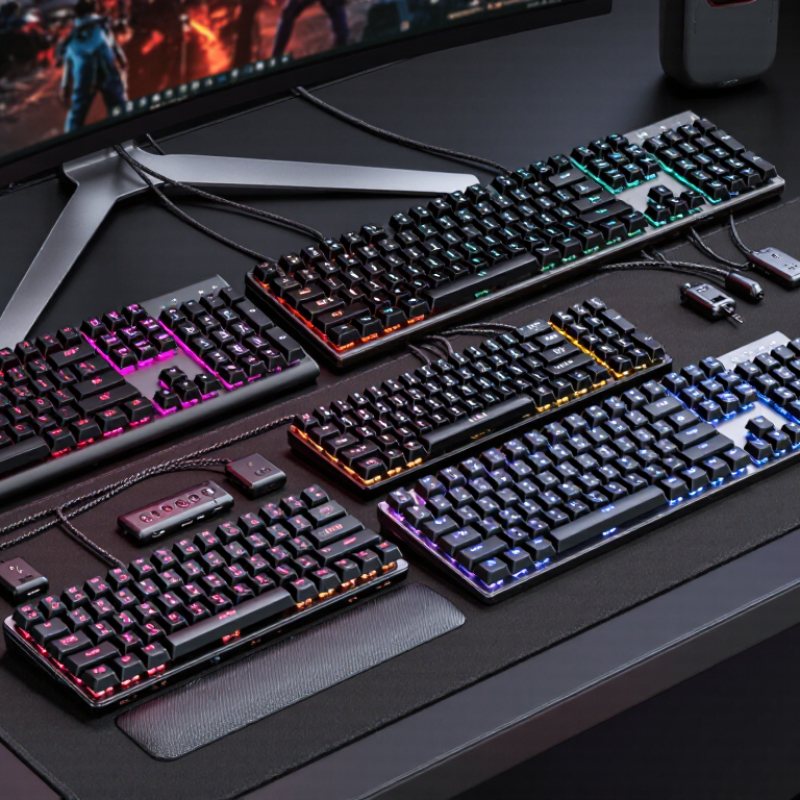
A mechanical gaming keyboard has a separate switch beneath each key, with a spring and electrical contact that register a press. That construction creates distinct feedback, though the sound and feel vary by switch design and keyboard case. For gaming, consistent actuation can make repeated movement keys feel predictable. It does not automatically make someone faster. The phrase “Gaming Keyboard Mechanical Keyboard” may appear in searches, but useful choices depend on layout, switch feel, and build quality.
Tips: Try a few switch types before choosing, if possible. Listen in a quiet room; sharp clicks can carry farther than expected. Check whether the key layout leaves enough desk space for your mouse.
Other details matter during long sessions. Stable keycaps, clear legends, and adjustable feet can improve everyday comfort. A compact layout saves space, but missing dedicated keys may slow routine tasks. Some keyboards allow switch replacement, which can help with repairs, but that feature is not essential. I find keyboard descriptions can overstate tiny differences; comfort after an hour is a more practical test than a dramatic specification. Even that test has limits, since typing habits and desk height affect how a board feels.
Evaluating the best mechanical gaming keyboards in 2026 means testing them beyond a quick typing session. Each board should be used during fast games, ordinary writing, and longer play sessions. We check how consistently keys register, whether repeated presses feel reliable, and how much force they need. Small differences matter. A heavy key can tire a finger during a long match.
We also inspect practical details: key layout, adjustable settings, cable placement, and how firmly the keyboard stays on a desk. Sound gets a real-world check, too. A sharp clack may feel satisfying in a quiet room but distracting beside other people. We record observations across more than one session, since first impressions can be misleading. They sometimes are.
No single feature decides the result. A rapid response is useful, but not if the layout causes frequent mistakes or the keys feel uncomfortable. We compare products against the same tasks and note where testing has limits. For example, desk height and typing habits can change comfort ratings. That is not perfectly controlled. Our rankings therefore balance measured behavior with hands-on use, while recognizing that personal preference still plays a role. A keyboard that feels precise to one player may feel cramped to another.
A weighted, evidence-based rubric for comparing ten shortlisted mechanical gaming keyboards. Scores should be assigned from hands-on testing and verified specifications.
| # | Evaluation Dimension | Weight | What Is Tested | How to Judge It |
|---|---|---|---|---|
| 1 | Gaming latency and responsiveness | 18% | Input delay, connection consistency, and response in wired and wireless modes where available. | Measure key-to-computer delay with repeatable testing. Lower, more consistent latency earns a higher score; advertised polling rate alone is not proof of low latency. |
| 2 | Typing and switch performance | 16% | Key feel, actuation consistency, stabilizer noise, switch type, and typing comfort. | Test a range of keys during extended typing and gameplay. Note whether switches feel consistent and whether rattling, ping, or unwanted noise is distracting. |
| 3 | Build quality and durability | 12% | Case rigidity, keycap material, stabilizer construction, and the quality of removable or adjustable parts. | Check for flex, loose components, uneven keys, and finish issues. Treat durability claims as unverified unless supported by testing or clear warranty terms. |
| 4 | Layout and gaming controls | 10% | Keyboard size, key placement, dedicated controls, and access to commonly used functions. | Assess whether the layout suits its intended use. Compact layouts save desk space, while larger layouts retain navigation keys or a number pad. |
| 5 | Customization and onboard features | 10% | Programmable keys, macro support, profile storage, adjustable actuation where offered, and lighting controls. | Give credit for useful features that work reliably and can be configured without unnecessary steps. Distinguish onboard functions from software-dependent ones. |
| 6 | Connectivity and battery performance | 9% | Wired, Bluetooth, or dedicated wireless options; connection stability; and battery runtime on wireless models. | Test pairing, reconnection, and interruptions. Measure battery life under stated lighting and usage conditions, since those settings affect runtime. |
| 7 | Ergonomics and comfort | 8% | Typing angle, wrist-rest support, key spacing, and comfort during longer sessions. | Evaluate fit across multiple sessions and desk setups. A detachable wrist rest is useful only if its height and firmness suit the user. |
| 8 | Software and configuration | 6% | Ease of remapping, macro creation, profile management, and saving or restoring settings. | Check that settings are easy to find and persist as expected. Note any features that require background software or an online account. |
| 9 | Compatibility and accessibility | 6% | Supported operating systems, connection requirements, key legends, and accessibility of essential functions. | Verify compatibility with the systems named in the product documentation and test core functions. Do not assume every feature works identically across platforms. |
| 10 | Price and overall value | 5% | Street price, included accessories, warranty coverage, and performance relative to cost. | Compare current prices and included items at the time of review. Reward useful performance and features for the price, not the lowest price alone. |
| Total weighting | 100% | Apply the same testing conditions and scoring scale to every keyboard in the comparison. | ||
A Mechanical Keyboard Gaming Keyboard is not defined by speed alone; its switches shape how each key feels under pressure. Linear switches move smoothly, while tactile switches add a small bump beneath your fingertip. Clicky switches are louder, which can be satisfying at a desk but distracting in a shared room. Try them first. Spec sheets cannot fully describe fatigue after a long evening.
Layout affects both desk space and muscle memory. Full-size boards include a number pad; tenkeyless layouts remove it and leave more room for mouse movement. Compact 75% and 60% designs save space, but arrow keys or function commands may require key combinations. That trade-off is easy to underestimate. Measure your desk and consider the games and shortcuts you actually use. Smaller is not always better.
Keycaps influence grip, sound, and legibility. PBT caps often resist a greasy shine longer, while ABS can feel smoother and show wear sooner. Profiles also change how keys sit beneath your fingers, so comfort depends on more than appearance. Check compatibility before replacing caps, since stem shape and layout can differ. I would not choose by photos alone; lighting can make a keycap’s color and texture look quite different.
A Mechanical Gaming Keyboard should feel quick in a match and comfortable during ordinary work. Look for consistent key response, low input delay, and reliable rollover, which helps register several pressed keys together. These features matter during rapid movement, but they do not replace practice. For daily use, check the layout, adjustable feet, and whether the keys feel comfortable after an hour of typing. A compact board saves desk space, though its missing navigation keys may slow familiar tasks. Small details matter.
Tips: Compare switch feel and sound in person when possible; descriptions can be misleading. Check whether the keyboard supports easy remapping and has a detachable cable. Test the actual layout before buying. A few minutes can prevent daily frustration.
Build and maintenance deserve attention, too. Sturdy keycaps and a stable frame can reduce wobble and wear, while removable keycaps make cleaning easier. Consider noise if you share a room; a sharp clack can become tiring at night. Lighting is useful in a dim space, but it should not distract you. No single setup suits everyone. I would prioritize comfort over extra features, though even that choice depends on your desk and habits. A good keyboard should make common actions feel natural, not demand constant adjustment.
Higher polling rates mean shorter intervals between input reports. The values shown are calculated as 1,000 milliseconds divided by the polling rate; they are not measurements of total keyboard or in-game latency. This brand-neutral comparison highlights one specification to consider alongside switch feel, layout, and everyday comfort.
Choosing among the 10 best mechanical gaming keyboards in 2026 means judging more than switch speed. A keyboard should feel predictable during rapid movement and comfortable through long sessions. The 2024 Global Games Market Report estimated 3.42 billion players worldwide and $187.7 billion in game revenue. That scale helps explain the interest in gaming gear, but it does not prove any keyboard improves results. Look for independent tests measuring latency, key consistency, and wireless stability. Small differences can matter less than dependable performance.
Compare full-size, tenkeyless, and compact layouts against desk space and number-pad needs. Check actuation, hot-swap support, keycap texture, and onboard profile storage. A heavy spring may tire your fingers; a sharp clack may annoy someone nearby. Sound matters. Honestly, rankings get messy here: typing style can outweigh a tiny benchmark gap. I can see why buyers overvalue headline specs. Still, repeatable measurements, clear test methods, and warranty terms offer firmer ground than marketing claims or a feature you may never use.
Compare keyboards by fit, feel, and response—not just by flashy specifications. For a Keyboard Gaming Mechanical setup, start with the games you play and the desk space available. A compact layout leaves more room for broad mouse movements, while a full-size board keeps dedicated number and navigation keys. Check whether the switches feel light or firm under your fingers. If possible, test them in person. A switch that sounds crisp in a review may feel tiring after a long session.
Look for consistent key response and a connection that suits your setup. Wired models avoid battery checks; wireless options reduce cable clutter but need charging. Polling rate and input latency can matter in fast competitive games, yet comfort and reliable key registration matter every day. Check the product’s technical details, not just marketing claims. Also notice stabilizer rattle, case flex, and how sharply each key returns. Small flaws become hard to ignore in a quiet room.
Consider ergonomics, too. A detachable cable, adjustable feet, and a wrist rest can improve comfort, though none guarantees a good fit. Try the board at your usual typing angle. Short sessions can mislead. I would not choose solely by switch type; key spacing and sound may matter more than expected. Set a budget that includes any needed wrist support, and compare warranty terms and return options before buying.
Each key has its own switch, spring, and electrical contact. This design creates distinct feedback, though sound and feel vary.
Not automatically. Consistent key presses can feel predictable, but skill, comfort, and practice still matter.
Try several types if possible. Notice the force and sound, then consider how your fingers feel after an hour. First impressions can mislead.
Compare the keyboard’s size with your desk and mouse space. A compact layout saves room, while a number pad can help with routine tasks.
A sharp clack may feel satisfying in a quiet room, but it can distract people nearby. Sound matters.
Stable keycaps, readable legends, and adjustable feet can help during long sessions. Desk height and typing habits matter too.
Test fast games, ordinary writing, and longer sessions. Check repeated key presses, required force, desk stability, and cable placement.
They can be useful for repairs or saved settings, but they are not essential. A feature may look appealing and rarely get used.
Rankings can compare consistent tests, but preferences differ. Desk setup and typing style can change comfort ratings. The comparison is never perfect.
A Mechanical Gaming Keyboard is defined by its individual mechanical switches, which provide distinct feedback and consistent key response. This guide explains how gaming keyboards are evaluated, including typing feel, build quality, responsiveness, comfort, and overall value. It also explores how switch types, keyboard layouts, and keycap designs affect both gameplay and everyday use, helping readers understand which features best match their preferences.
The guide reviews ten standout mechanical gaming keyboards for 2026 and highlights practical features such as customizable controls, reliable connectivity, adjustable lighting, and ergonomic design. It also offers a clear framework for comparing options by considering budget, desk space, preferred switch feel, and intended use. Whether choosing a compact setup for competitive play or a versatile keyboard for gaming and work, readers can use these insights to make a confident, well-informed choice.